FTB Quests Integration
The Customers mod integrates with FTB Quests in several ways. Quest authors can use FTB Quests’ built-in support for observing advancements and statistics, or use Customers’ custom, rich tasks to match specific player events while players build shops and serve customers.
Advancement and Statistics Tasks
FTB Quests’ built-in Advancement and Statistic tasks can observe a player’s total Customers progress. An Advancement task could require Customer Spawner Crafted, First Item Served, or Five-Star Shift. A Statistic task could require 100 Customers: Items Served or 10 Customers: Shifts Finished. These tasks are useful when a quest should follow the same lifetime progress shown in Minecraft’s Advancements and Statistics screens.
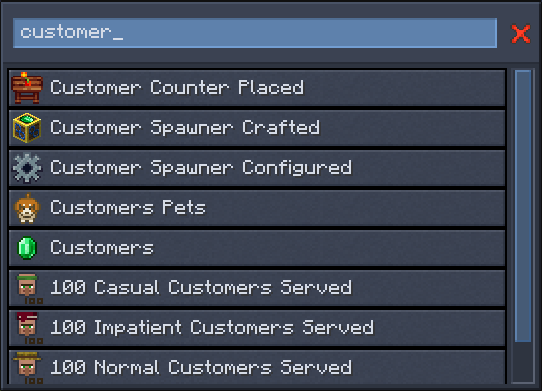
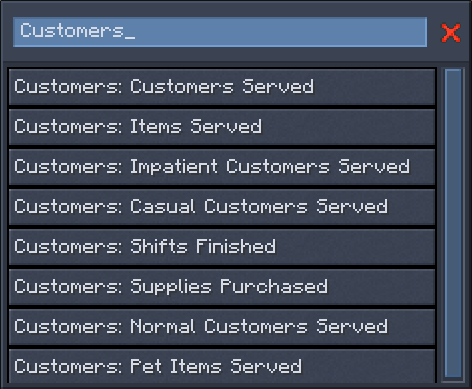
See the complete Customers Advancements and Customers Statistics references when selecting built-in FTB Quests tasks.
Customers Tasks
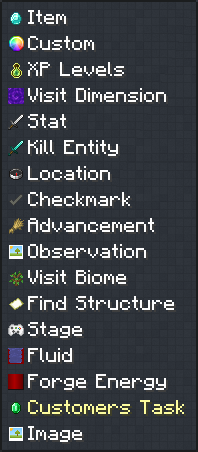
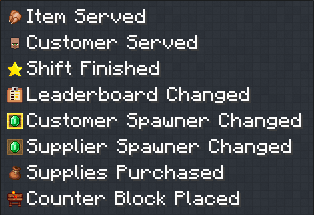
The Customers mod directly integrates with FTB Quests’ task system to provide custom, rich tasks for player events as players participate in Customers gameplay by building shops and serving customers. Add a Customers Task, then choose Item Served, Customer Served, Shift Finished, Leaderboard Changed, Customer Spawner Changed, Supplier Spawner Changed, Supplies Purchased, or Counter Block Placed. These tasks maintain progress for the individual quest and FTB team instead of reading a player’s lifetime statistic.
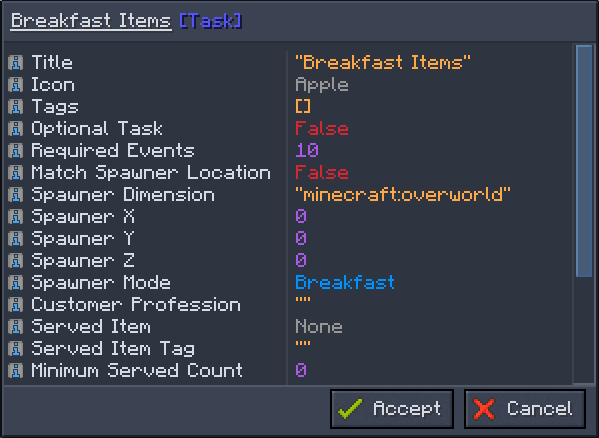
Each Customers task exposes properties specific to that event. Quest authors can narrow a task to details such as one spawner mode, a particular shop location or customer profession, the served item and payment, or whether the item being sold is for the customer’s pet.
| Property type | How matching is specified | Examples |
|---|---|---|
| Required events | Set the number of matching events the quest or team must complete. | Require 5 Customer Served events or 10 Item Served events. |
| Location | Optionally select a dimension and exact block coordinates. | Match Item Served at one Customer Spawner, Counter Block Placed at one counter, or Leaderboard Changed at one leaderboard. |
| Choice | Select any value or one exact option from the available choices. | Limit Item Served to the Breakfast spawner mode. |
| Identifier | Enter an exact registered resource ID. | Match the customers:customer_impatient profession or a minecraft:oak_slab counter block. |
| Item or tag | Select one exact item or any item belonging to a tag. | Match apples in Item Served or a configured supply tag in Supplies Purchased. |
| Whole-number range | Set an optional minimum, maximum, or both. | Require at least 5 customers served in Shift Finished, or constrain the served stack count in Item Served. |
| Decimal range | Set an optional minimum, maximum, or both. | Require a Shift Finished score of at least 0.75, or a Customer Spawner Changed pet percentage of at least 0.5. |
| Boolean | Choose any value, true, or false. | Require a pet item in Item Served, a current leader in Leaderboard Changed, or automatic costs in a spawner-change task. |
Example Quests
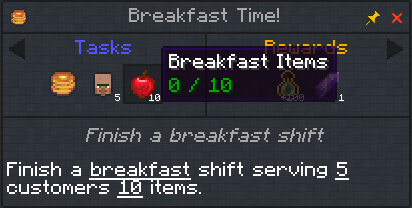
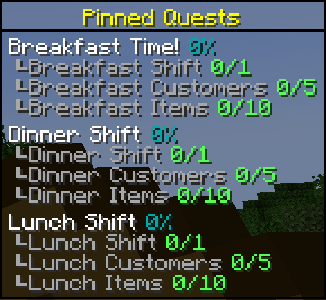
One example quest setup is a chapter for restaurant shifts with separate Breakfast, Lunch, and Dinner quests. Each quest can combine three Customers tasks filtered to its matching spawner mode:
- A Shift Finished task requiring one completed shift.
- A Customer Served task requiring at least five customers.
- An Item Served task requiring at least ten total served-item transactions.
Because the custom task counters belong to the quest and FTB team, each shift quest tracks its own progress instead of reusing the player’s lifetime total.
What if you have more than one shop or restaurant in your world? You can go back to these quests and duplicate them for each shop, and in the sets of tasks set the Match Spawner Location, and set the Spawner X, Y, & Z to the location of your shop customer spawner:

Then your players should be able to work through your Customers quests: