Counter or Table-Top Blocks
Once a customer spawns, it needs to know where to go to buy the items it picked. This is where the counter or table-top blocks come in. Whatever item you place on top of the spawner will be treated as the counter or table-top block to find. A good approach would be to use colored carpet blocks that you are not using on the floor or other parts of your build and put that same carpet color on the tables or counters where you want the customers to go. You can also use a sign with custom text that you match on the sign next to your counter where you want customers to gather.
- Carpet or wool blocks - Matches the type and color
- Signs - Matches the wood type and text
- Containers or banners named with an anvil - Matches the block type and name
- Lecterns with a named book on them - Matches the book name
- Other items - Exact block match
Customers search for all blocks of this type within 64 blocks by default and go to a random one,
trying to avoid one that already has a customer next to it. The search distance can be changed
with the maxCounterDistance configuration option.
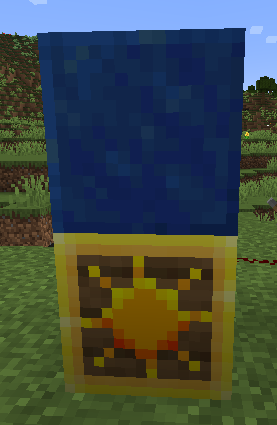
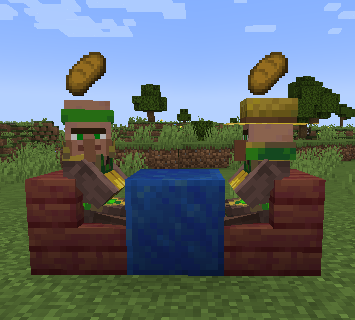
In your builds you can use full blocks as the counter or table itself:
| Spawner Setup | Build |
|---|---|
 |
 |
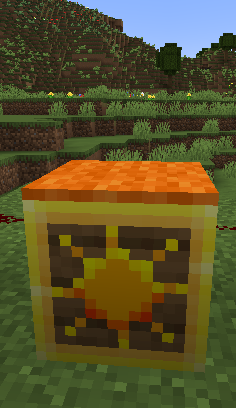
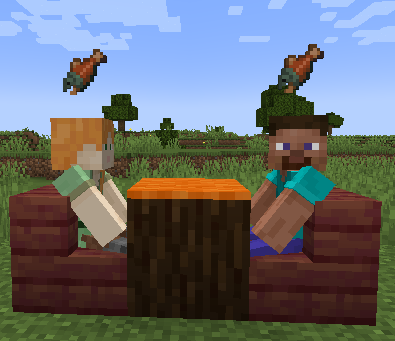
a topper block like carpet of candle:
| Spawner Setup | Build |
|---|---|
 |
 |
or even custom blocks provided by other mods like furniture:
| Spawner Setup | Build |
|---|---|
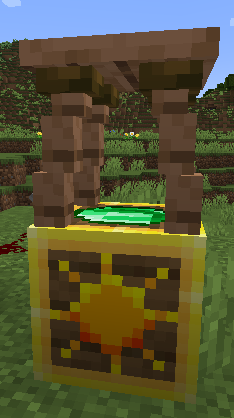 |
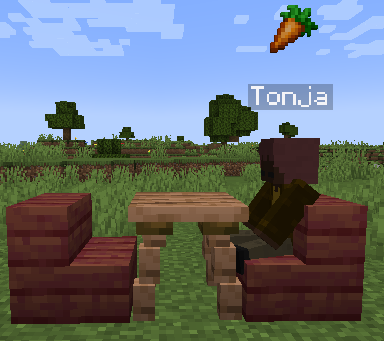 |
Avoid Block
When a Customer looks for a spot to go to next to your counter or table-top blocks it will look at all the spaces around it as options unless that block matches the block directly under the customer spawner block. This can be used to set of builds like a counter where you only want the customers to go to one side of it because the other side if the kitchen. On the other side of the counter use a different block for the kitchen tiles and put that same kitchen floor block under the customer spawner. If avoiding that block leaves no valid positions around the matching counters, Customers ignores the avoid block so the customer can still be served.
Customers normally allows any non-air block under a Customer Spawner to be used as the avoid block. By default, dirt, grass blocks, sand, and snow cannot be used as avoid blocks. These blocks are common around builds and can otherwise cause unexpected customer routing when an avoid block was not deliberately set up.
Players can override these rules with a normal Minecraft data pack. Create the following
file inside a data pack placed in the world’s datapacks folder:
your-data-pack/
├── pack.mcmeta
└── data/
    └── customers/
        └── tags/
            └── block/
                └── can_avoid.json
For example, this can_avoid.json explicitly allows grass blocks and dirt to be used as
avoid blocks, overriding Customers’ default protection:
{
  "replace": false,
  "values": [
    "minecraft:grass_block",
    "minecraft:dirt"
  ]
}
Mods can provide the same override by including
data/customers/tags/block/can_avoid.json in their resources. Keep "replace": false so
the mod or data pack adds to the existing tag instead of replacing other entries.
Data packs and mods can add blocks to customers:can_not_avoid to prevent them from being
used as avoid blocks. customers:can_avoid always takes priority. For example, this
prevents stone from being used:
{
  "replace": false,
  "values": [
    "minecraft:stone"
  ]
}